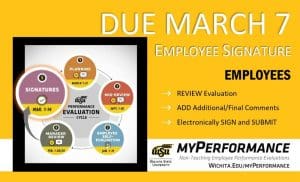
Step 5, signatures, of the annual performance evaluation cycle for non-teaching employees has started and employee signatures are due March 7. Employees can now login to myPerformance, review their evaluation, add any final comments, and electronically sign their evaluation.

Annual non-teaching employee performance evaluations for 2023-24 will be available for employee signatures beginning March 1 provided that their manager has submitted their manager review in myPerformance.

Employees should log into myPerformance then electronically sign and submit their 2023-24 evaluation by 11:59 p.m. Thursday, March 7.

Helpful hints:

  • Let your manager know if you don’t have access to your evaluation. Managers must “Submit” their manager review for you to have access.
  • Progress through each page of your evaluation to review all comments and ratings.
  • Enter your name in the signature field, click “Sign,” and then click “Submit” on the approval signature page and the submit review pop-up window.
  • To find in-progress or past evaluations in myPerformance, check the small box “Show completed and expired tasks” then click “Search.”

For more information (including myPerformance training, quick reference guides, and other resources) go to the myPerformance webpage (wichita.edu/myPerformance).

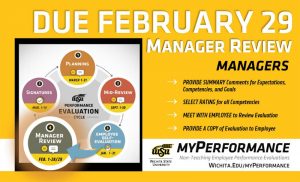
Step 4, manager review, of the annual performance evaluation cycle for non-teaching employees has started and is due February 29. Managers of non-teaching employees can now login to myPerformance, provide summary comments about their employee’s job performance and accomplishments for the year, rate their employee in each competency, and then meet with their employee to deliver their annual performance review.

Annual non-teaching employee performance evaluations for 2023-24 are now accessible to managers to complete the manager review step of the myPerformance evaluation cycle. Managers, go to myPerformance to access and complete performance evaluations for your non-teaching employees which are due by 11:59 p.m. Feb. 29.

Follow these steps to complete your evaluations for the 2023-24 review period which began March 1, 2023 and end Feb. 29:

  • Provide summary comments for expectations, competencies and goals.
  • Select rating for all competencies.
  • Progress through each page of the evaluation and select “save” then “submit” on the final summary page for the evaluation.
  • Meet with your employee(s) to review their evaluation and provide them with a copy.

Helpful hints:

  • Managers have unlimited access to update and edit performance evaluations throughout the month of February.
  • Evaluations must be saved and submitted to progress to the employee signature step on March 1. Employees will not have access to their evaluation if the manager has not submitted their review.
  • Managers can add co-planners during this step. A co-planner is someone who has managed a portion of the employee’s work assignment during the evaluation period.
  • To find in-progress or past evaluations in myPerformance, check the small box “Show completed and expired tasks” then click “search.”

NOTE: End of year performance review conversations are also a great time to set expectations and goals for the new review period. The 2024-25 evaluations are now accessible to managers in myPerformance so you can discuss both the current end-of-review (2023-24 Manager Review) and the upcoming begin-of-review (2024-25 Planning) at the same time, if desired.

For more information (including myPerformance training, quick reference guides and other resources) go to the myPerformance webpage (wichita.edu/myPerformance).

Person sitting at a computer watching a LinkedIn Learning video course.

Did you know that as a WSU employee, you have a LinkedIn Learning account? You have access to over 12,000 courses and other impactful professional development tools.

Now is a great time to take advantage of the resource as employees are reviewing how they performed last year and setting performance goals for the new review period. Here are some ways LinkedIn Learning can help employees make progress on their goals:

  • The “Career Goal” feature allows you to set up your goal and receive personalized content recommendations to help you achieve your goal. Connect your LinkedIn profile to your LinkedIn Learning account to get even more personalized recommendations and display your learning achievements.
  • The “Skill Evaluation” feature is a self-assessment tool that will help you gauge how confident you feel around various topics and receive personalized course recommendations tailored to your proficiency level. There are currently 42 skills associated with this feature.

Go to the LinkedIn Learning page for instructions on how to set up your LinkedIn Learning account.

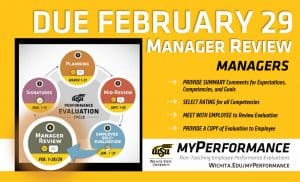
Step 4, manager review, of the annual performance evaluation cycle for non-teaching employees has started and is due February 29. Managers of non-teaching employees can now login to myPerformance, provide summary comments about their employee’s job performance and accomplishments for the year, rate their employee in each competency, and then meet with their employee to deliver their annual performance review.

Annual non-teaching employee performance evaluations for 2023-24 are now accessible to managers to complete the manager review step of the myPerformance evaluation cycle. Managers, go to myPerformance to access and complete performance evaluations for your non-teaching employees which are due by 11:59 p.m. Feb. 29.

Follow these steps to complete your evaluations for the 2023-24 review period which began March 1, 2023 and end Feb. 29:

  • Provide summary comments for expectations, competencies and goals.
  • Select rating for all competencies.
  • Progress through each page of the evaluation and select “save” then “submit” on the final summary page for the evaluation.
  • Meet with your employee(s) to review their evaluation and provide them with a copy.

Helpful hints:

  • Managers have unlimited access to update and edit performance evaluations throughout the month of February.
  • Evaluations must be saved and submitted to progress to the employee signature step on March 1. Employees will not have access to their evaluation if the manager has not submitted their review.
  • Managers can add co-planners during this step. A co-planner is someone who has managed a portion of the employee’s work assignment during the evaluation period.
  • To find in-progress or past evaluations in myPerformance, check the small box “Show completed and expired tasks” then click “search.”

NOTE: End of year performance review conversations are also a great time to set expectations and goals for the new review period. The 2024-25 evaluations are now accessible to managers in myPerformance so you can discuss both the current end-of-review (2023-24 Manager Review) and the upcoming begin-of-review (2024-25 Planning) at the same time, if desired.

For more information (including myPerformance training, quick reference guides and other resources) go to the myPerformance webpage (wichita.edu/myPerformance).

Step 4, manager review, of the annual performance evaluation cycle for non-teaching employees has started and is due February 29. Managers of non-teaching employees can now login to myPerformance, provide summary comments about their employee’s job performance and accomplishments for the year, rate their employee in each competency, and then meet with their employee to deliver their annual performance review.

Annual non-teaching employee performance evaluations for 2023-24 are now accessible to managers to complete the manager review step of the myPerformance evaluation cycle. Managers, go to myPerformance to access and complete performance evaluations for your non-teaching employees which are due by 11:59 p.m. Feb. 29.

Follow these steps to complete your evaluations for the 2023-24 review period which began March 1, 2023 and end Feb. 29:

  • Provide summary comments for expectations, competencies and goals.
  • Select rating for all competencies.
  • Progress through each page of the evaluation and select “save” then “submit” on the final summary page for the evaluation.
  • Meet with your employee(s) to review their evaluation and provide them with a copy.

Helpful hints:

  • Managers have unlimited access to update and edit performance evaluations throughout the month of February.
  • Evaluations must be saved and submitted to progress to the employee signature step on March 1. Employees will not have access to their evaluation if the manager has not submitted their review.
  • Managers can add co-planners during this step. A co-planner is someone who has managed a portion of the employee’s work assignment during the evaluation period.
  • To find in-progress or past evaluations in myPerformance, check the small box “Show completed and expired tasks” then click “search.”

NOTE: End of year performance review conversations are also a great time to set expectations and goals for the new review period. The 2024-25 evaluations are now accessible to managers in myPerformance so you can discuss both the current end-of-review (2023-24 Manager Review) and the upcoming begin-of-review (2024-25 Planning) at the same time, if desired.

For more information (including myPerformance training, quick reference guides and other resources) go to the myPerformance webpage (wichita.edu/myPerformance).


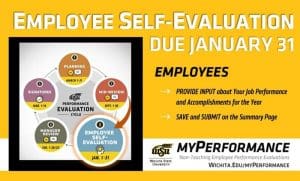
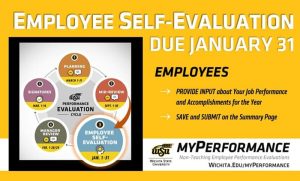
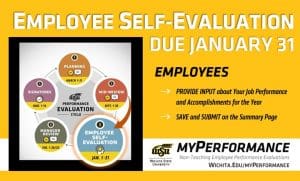
Step 3, employee self-evaluation, of the annual performance evaluation cycle for non-teaching employees has started and is due January 31. Non-teaching employees can now login to myPerformance, provide input about their job performance and accomplishments for the year, and then save and submit on the summary page.

Non-teaching employees, it’s time to complete your self-evaluation in myPerformance. The self-evaluation step in the performance evaluation cycle is your opportunity to provide input on your job performance and accomplishments since the beginning of the current review period that began on March 1, 2023. Go to myPerformance to access and complete your self-evaluation which is due by 11:59 p.m. Jan. 31.

Helpful hints:

  • You can access your performance evaluation as many times as you need during the month of January to update and complete your self-evaluation. Access will route from you to your leader Feb. 1, 2024.
  • Be sure to save and submit anytime you update or make changes to your self-evaluation. You still have access to make changes after you save and submit.
  • To find in-progress or past evaluations in myPerformance, check the small box “Show completed and expired tasks” then click “Search.”

For more information (including myPerformance training, quick reference guides and other resources) go to the myPerformance webpage (wichita.edu/myPerformance).

Step 3, employee self-evaluation, of the annual performance evaluation cycle for non-teaching employees has started and is due January 31. Non-teaching employees can now login to myPerformance, provide input about their job performance and accomplishments for the year, and then save and submit on the summary page.

Non-teaching employees, it’s time to complete your self-evaluation in myPerformance. The self-evaluation step in the performance evaluation cycle is your opportunity to provide input on your job performance and accomplishments since the beginning of the current review period that began on March 1, 2023. Go to myPerformance to access and complete your self-evaluation which is due by 11:59 p.m. Jan. 31.

Helpful hints:

  • You can access your performance evaluation as many times as you need during the month of January to update and complete your self-evaluation. Access will route from you to your leader Feb. 1, 2024.
  • Be sure to save and submit anytime you update or make changes to your self-evaluation. You still have access to make changes after you save and submit.
  • To find in-progress or past evaluations in myPerformance, check the small box “Show completed and expired tasks” then click “Search.”

For more information (including myPerformance training, quick reference guides, and other resources) go to the myPerformance webpage (wichita.edu/myPerformance).

Step 3, employee self-evaluation, of the annual performance evaluation cycle for non-teaching employees has started and is due January 31. Non-teaching employees can now login to myPerformance, provide input about their job performance and accomplishments for the year, and then save and submit on the summary page.

Non-teaching employees, it’s time to complete your self-evaluation in myPerformance. The self-evaluation step in the performance evaluation cycle is your opportunity to provide input on your job performance and accomplishments since the beginning of the current review period that began on March 1, 2023. Go to myPerformance to access and complete your self-evaluation which is due by 11:59 p.m. Jan. 31.

Helpful hints:

  • You can access your performance evaluation as many times as you need during the month of January to update and complete your self-evaluation. Access will route from you to your leader Feb. 1, 2024.
  • Be sure to save and submit anytime you update or make changes to your self-evaluation. You still have access to make changes after you save and submit.
  • To find in-progress or past evaluations in myPerformance, check the small box “Show completed and expired tasks” then click “Search.”

For more information (including myPerformance training, quick reference guides, and other resources) go to the myPerformance webpage (wichita.edu/myPerformance).

Step 3, employee self-evaluation, of the annual performance evaluation cycle for non-teaching employees has started and is due January 31. Non-teaching employees can now login to myPerformance, provide input about their job performance and accomplishments for the year, and then save and submit on the summary page.

Non-teaching employees, it’s time to complete the self-evaluation in myPerformance. The self-evaluation step in the performance evaluation cycle is your opportunity to provide input on your job performance and accomplishments since the beginning of the current review period that began on March 1, 2023. Go to myPerformance to access and complete your self-evaluation, which is due at 11:59 p.m. Jan. 31, 2024.

Helpful tips:

  • You can access your performance evaluation as many times as you need during the month of January to update and complete your self-evaluation. Access will route from you to your leader Feb. 1, 2024.
  • Be sure to save and submit anytime you update or make changes to your self-evaluation. You still have access to make changes after you save and submit.
  • To find in-progress or past evaluations in myPerformance, check the small box “Show completed and expired tasks” then click “Search.”

For more information (including myPerformance training, quick reference guides, and other resources) go to the myPerformance webpage (wichita.edu/myPerformance).

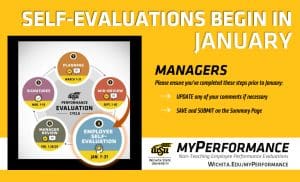
myPerformance Self-Evaluations begin in January. Managers, please ensure you've completed these steps prior to January: Update any of your comments if necessary, and Save and Submit on the Summary Page.

The timeframe to complete self-evaluations has doubled. Non-teaching employees now have the whole month of January to complete their self-evaluation.

Managers of non-teaching employees, here’s what you need to know:

At the start of January, your employees will be able to view content you entered during planning and mid-review to provide input on job performance and accomplishments for their employee self-evaluation. You’ll regain access to these reviews for the manager review during the month of February.

Please complete these steps before the winter closedown to prepare for employee self-evaluations:

  • Update any of your comments on your employee’s competencies and goals if necessary.
  • Save and submit on the summary page to ensure your comments route to your employee.
  • Touch base with your employees about upcoming self-evaluations and ensure they have what they need to successfully evaluate themselves at the start of January.

More information to come at the beginning of January for the employee self-evaluation.

Managers can access employee evaluations in myPerformance.

For more information (including myPerformance training, quick reference guides, and other resources) visit the Human Resources website (wichita.edu/myPerformance).

Can’t find an evaluation or need a copy of a past performance evaluation? Check the box that says, “Show completed and expired tasks” then “Search.”  Select the evaluation and you’ll have the option to print/save to PDF.